AI photo-editing tools are evolving fast, and two models stand out right now:
ChatGPT’s native image generator/editor and Google Gemini Nano Banana Pro, the lightweight on-device image-editing model built for speed.
I tested both models using the exact same 10 base photos and the exact same 10 editing prompts, covering transformations like cyberpunk rain effects, Ghibli-style portraits, sky replacement, removing people, adding objects, and cleaning blurry text.
This post shows the full side-by-side comparison:
Original → ChatGPT Edit → Gemini Nano Banana Pro Edit,
and leaves the final verdict to you.
Why This Comparison Matters
Both tools can edit photos using text instructions, but they are built differently:
-
ChatGPT Native Image Editor
Works with cloud-powered models like DALL·E, great at realism, complex scene changes, and artistic effects. -
Gemini Nano Banana Pro
Runs on-device, optimized for quick edits, privacy-safe, and often better at simple modifications and local adjustments.
The question is simple:
Which one actually performs better when editing the same photo with the same instructions?
Let’s find out.
How I Conducted the Test
I generated 10 real-world base photos (street, park, living room, portrait, café, marketplace, etc.).
Then I used the same editing instructions for both tools to ensure a fair comparison.
Each test includes:
-
Original Image
-
ChatGPT Native Output
-
Gemini Nano Banana Pro Output
You’ll see them in each section of the blog.
Section-by-Section Comparison
Below, you will insert your comparison images in this format.
I’m using placeholders so you can simply replace them with your visuals.
( These cover style change, realism, object insertion, cleanup, color grading, and sky replacement — everything a modern AI image editor should handle.)
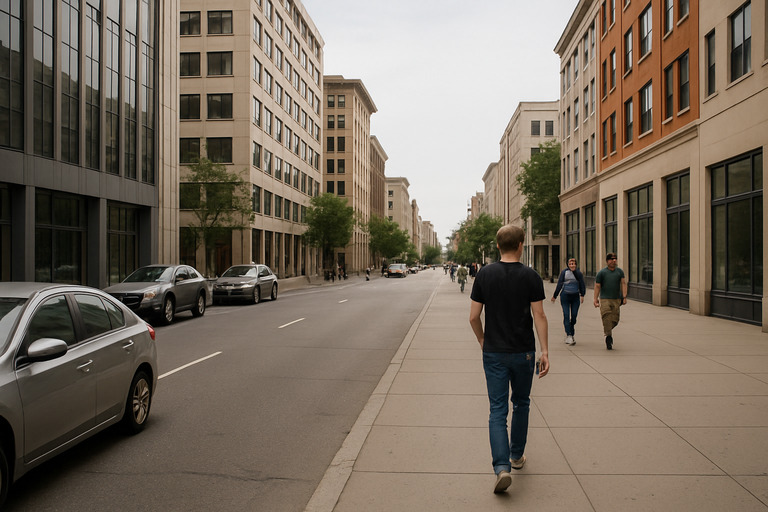
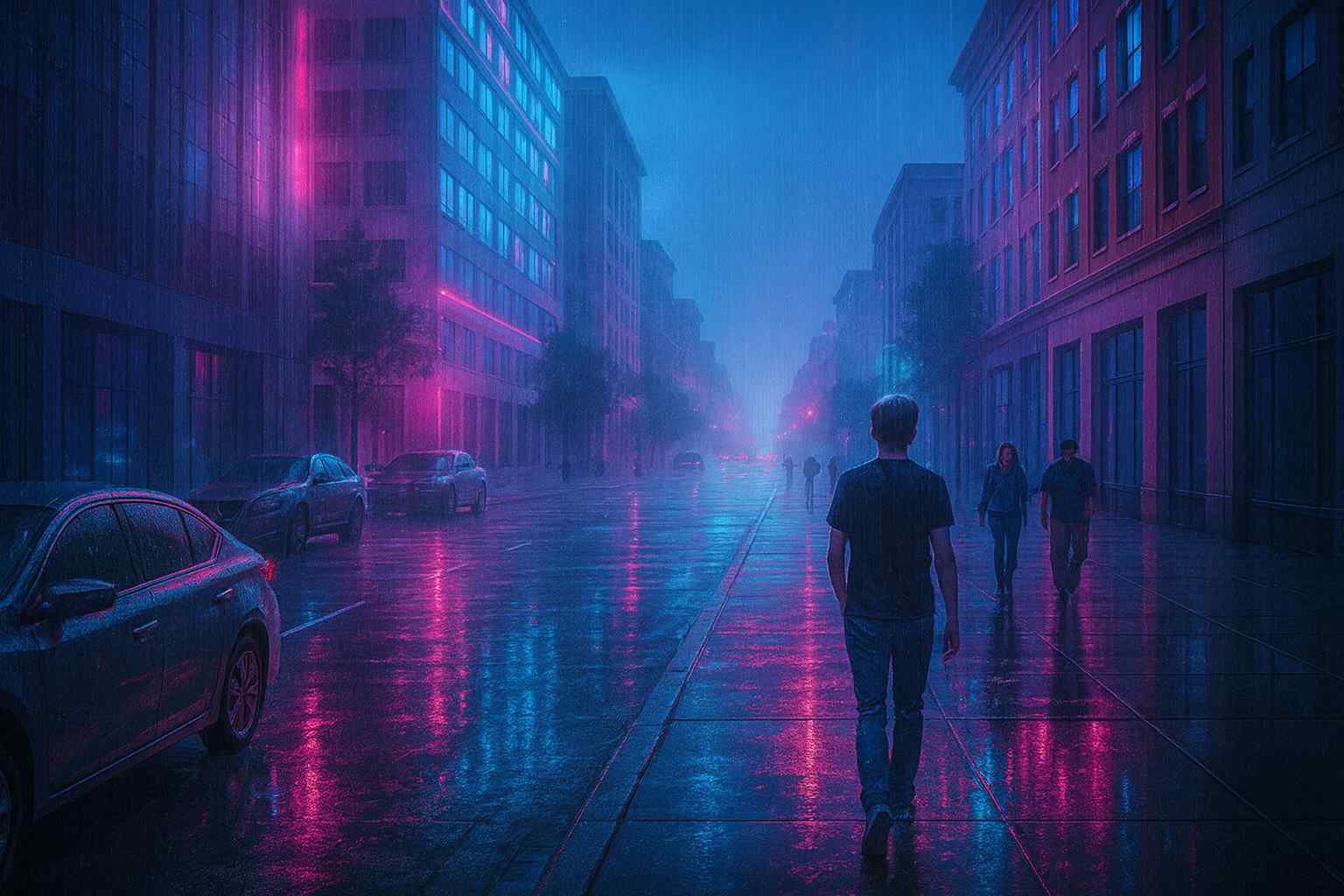
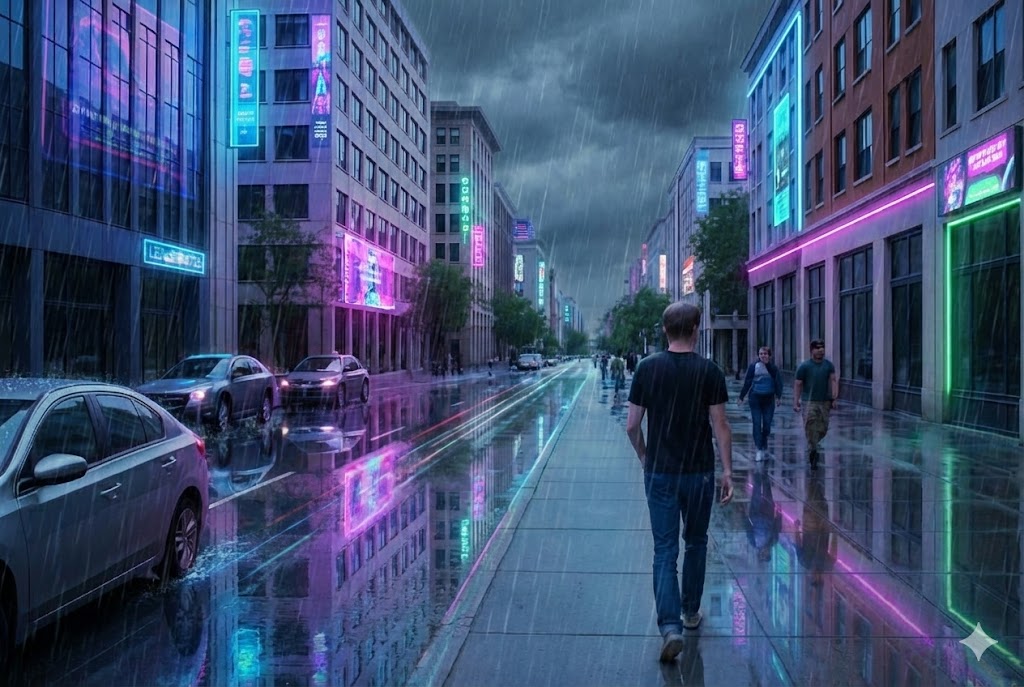
1. Cyberpunk Street Transformation
“Turn this street photo into a rainy cyberpunk version while keeping the same people and buildings exactly in place. Add neon reflections on the road"
Original:
ChatGPT Native Result:
Gemini Nano Banana Pro Result:
My Notes:
ChatGPT usually excels at lighting, color grading, atmosphere.
Nano Banana might focus more on neon accents and speed.
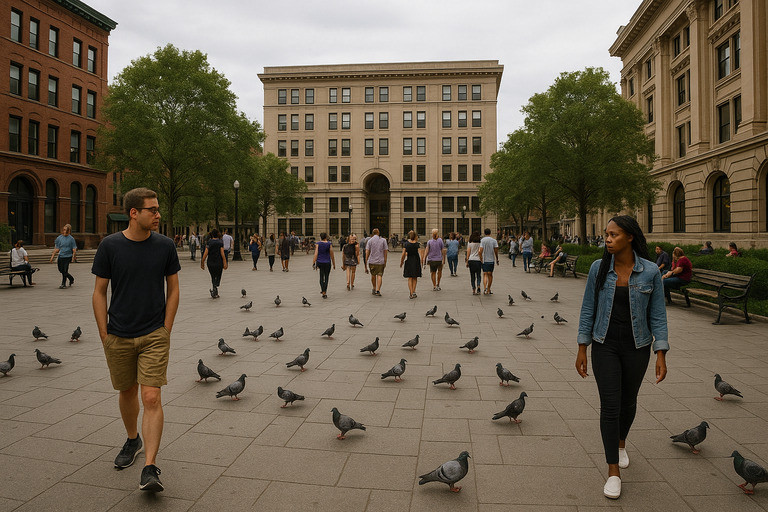
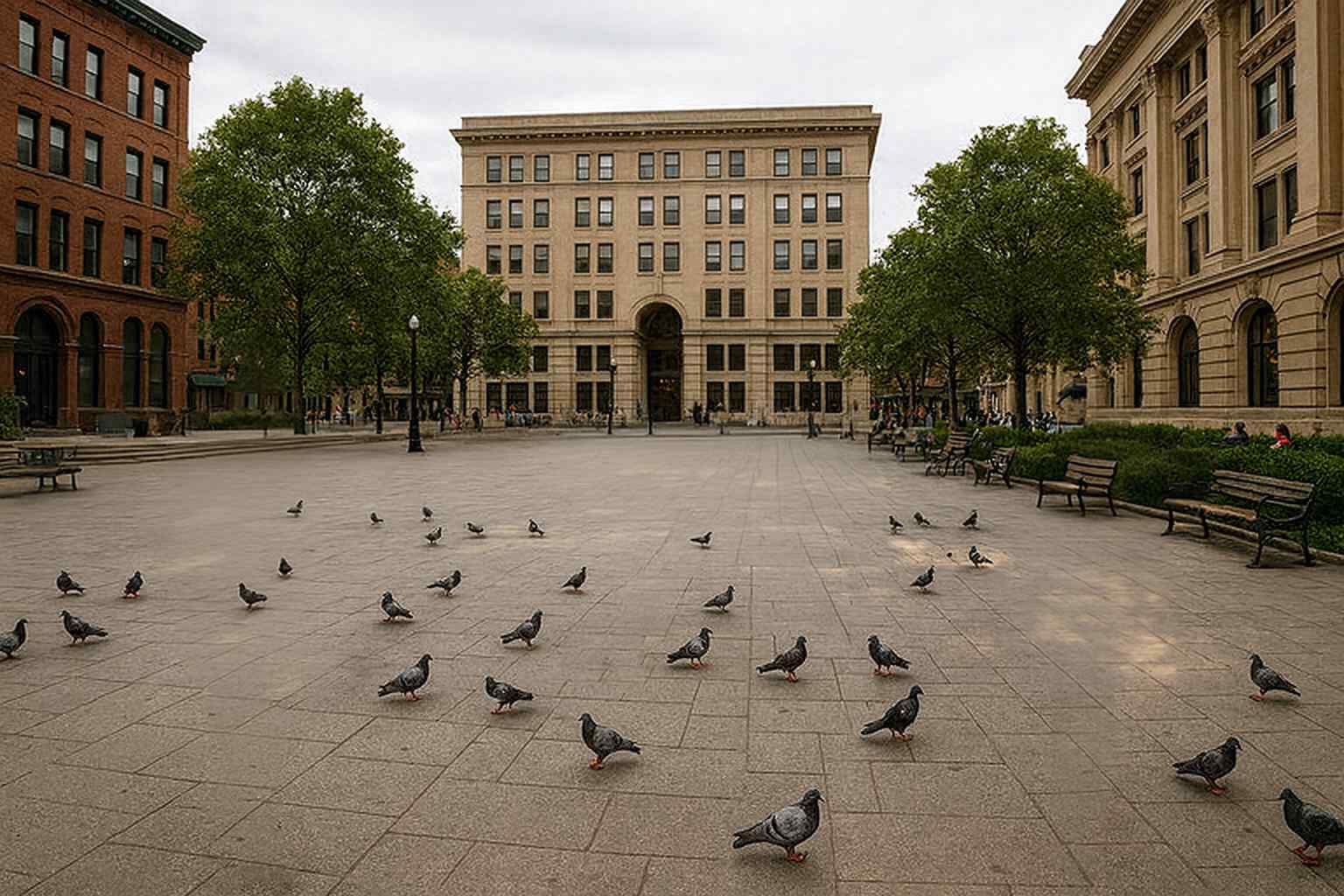
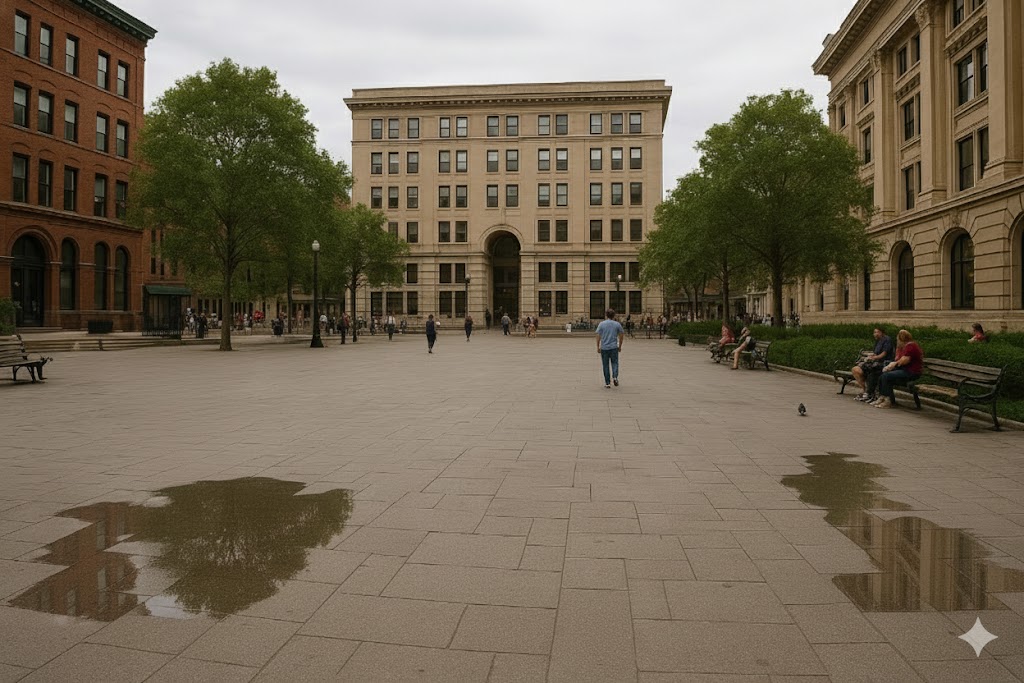
2. Removing People While Keeping Shadows
Prompt: “Remove all people from this image but keep shadows, reflections, and lighting physically realistic.”
Original:
ChatGPT Result:
Nano Banana Result:
My Notes:
This test reveals realism, physics consistency, and background reconstruction accuracy.
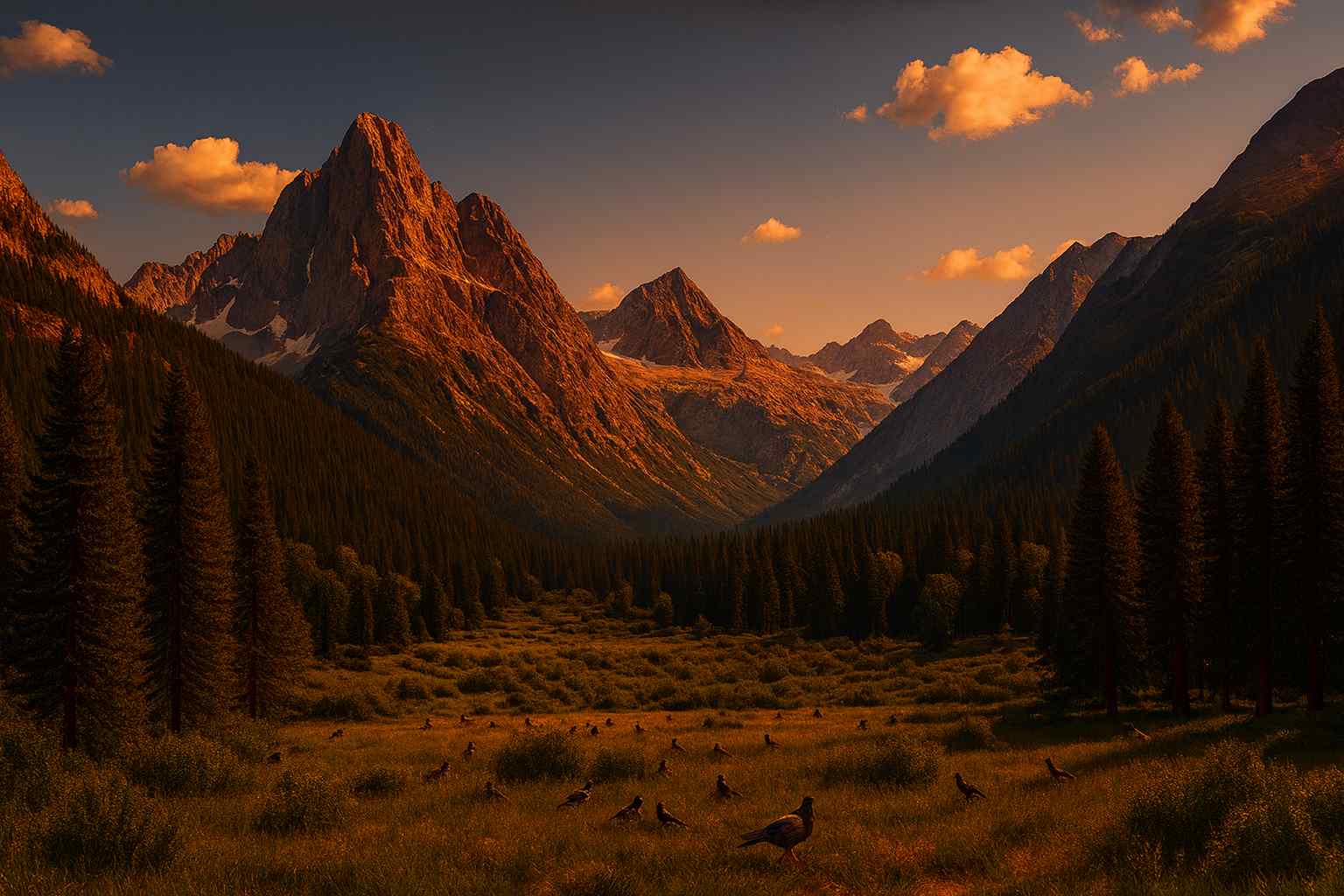
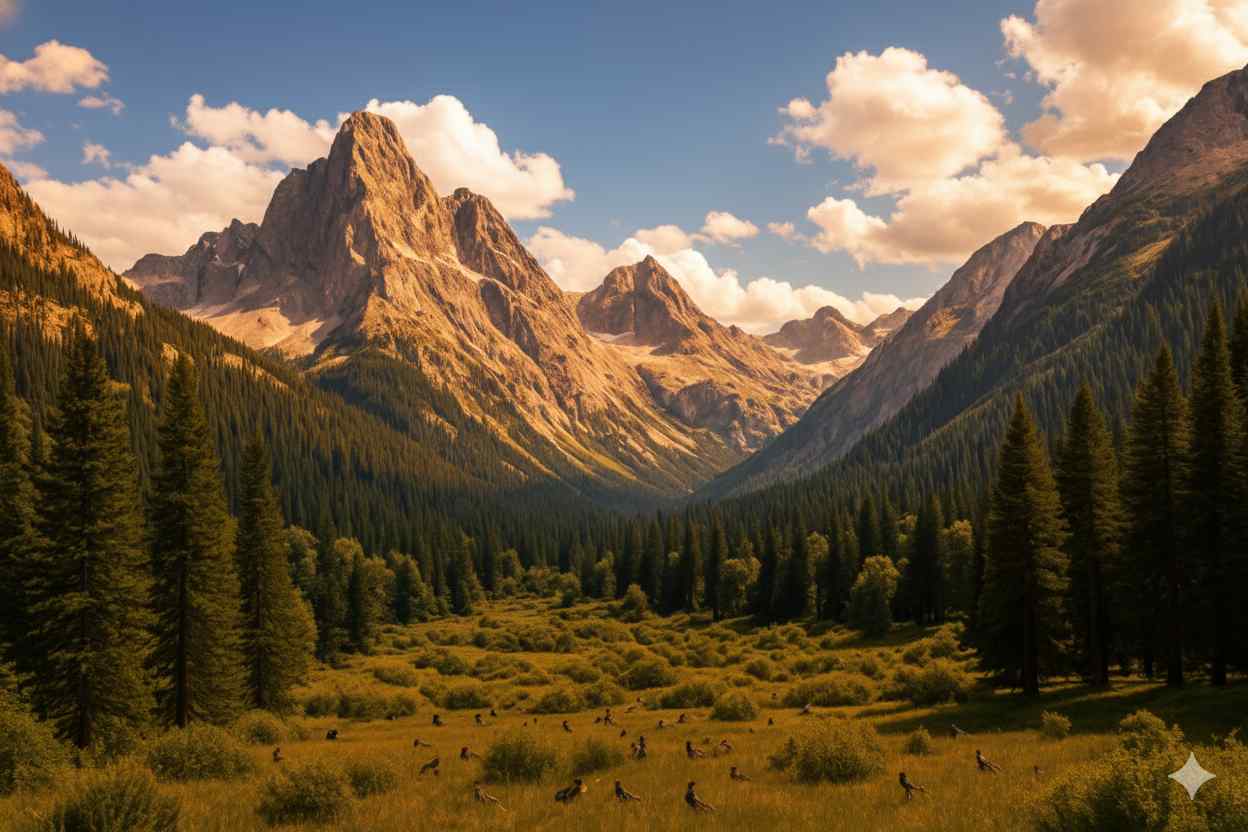
3. Mountain Sunset Conversion
Prompt: “Convert this daylight mountain landscape into a dramatic sunset scene with golden light.”
Original:
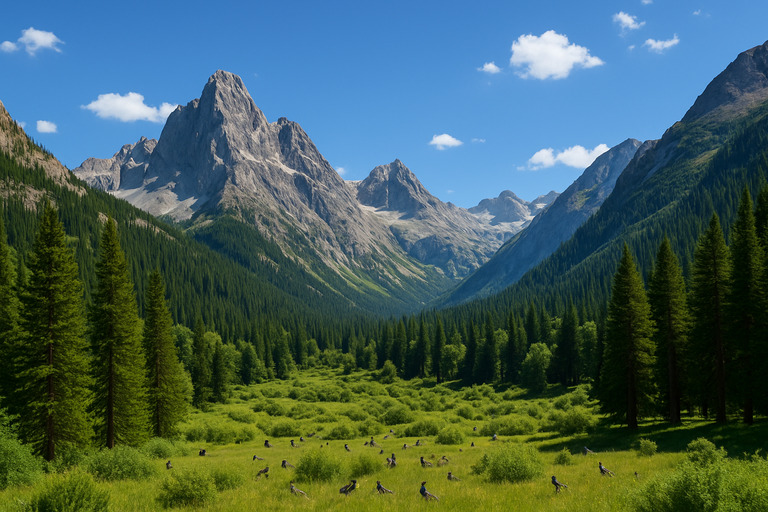
ChatGPT Result:
Nano Banana Result:
My Notes:
Here the winner is the one that keeps shadows natural and doesn’t oversaturate.
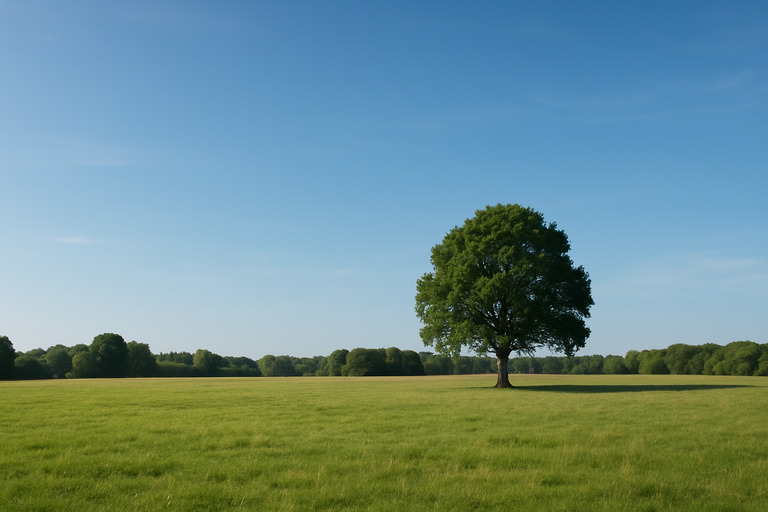
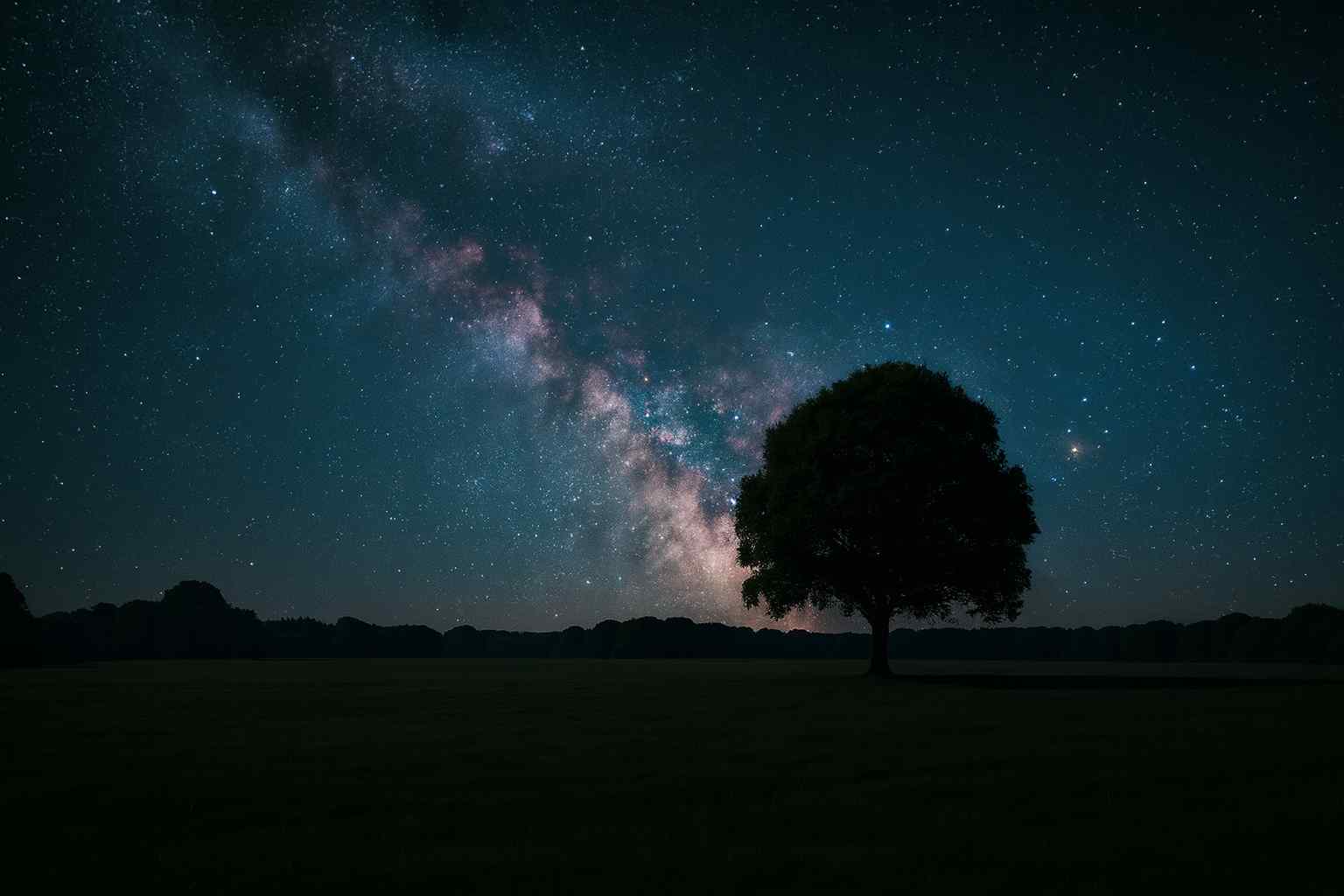
4. Milky Way Sky Replacement
Prompt: “Replace the sky with a Milky Way night sky but keep ground lighting natural.”
Original:
ChatGPT Result:
Nano Banana Result:
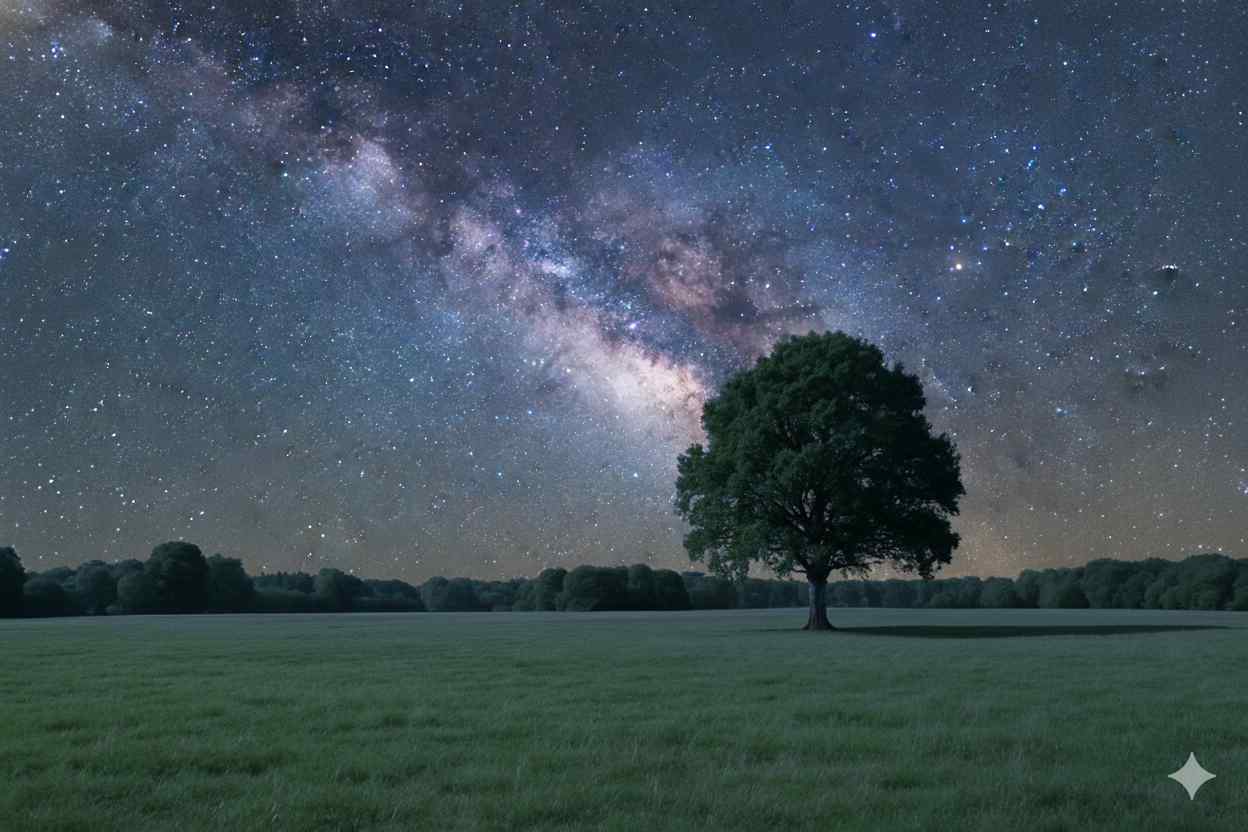
My Notes:
Look for blending quality, horizon glow, and color leaks.
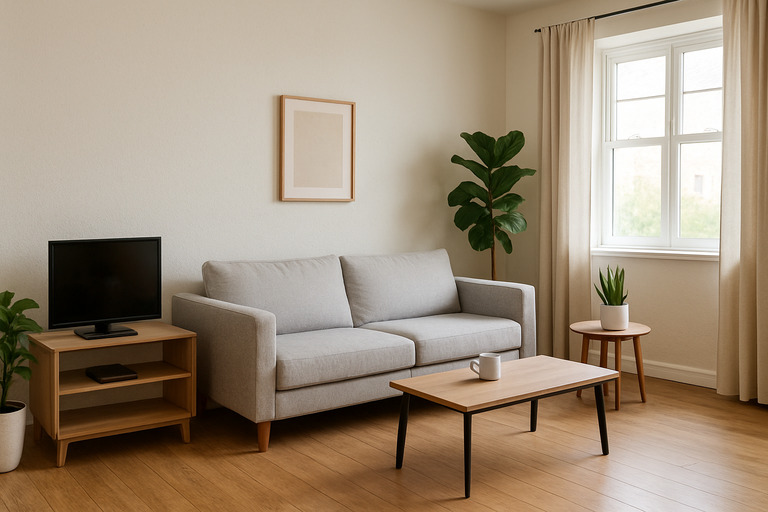
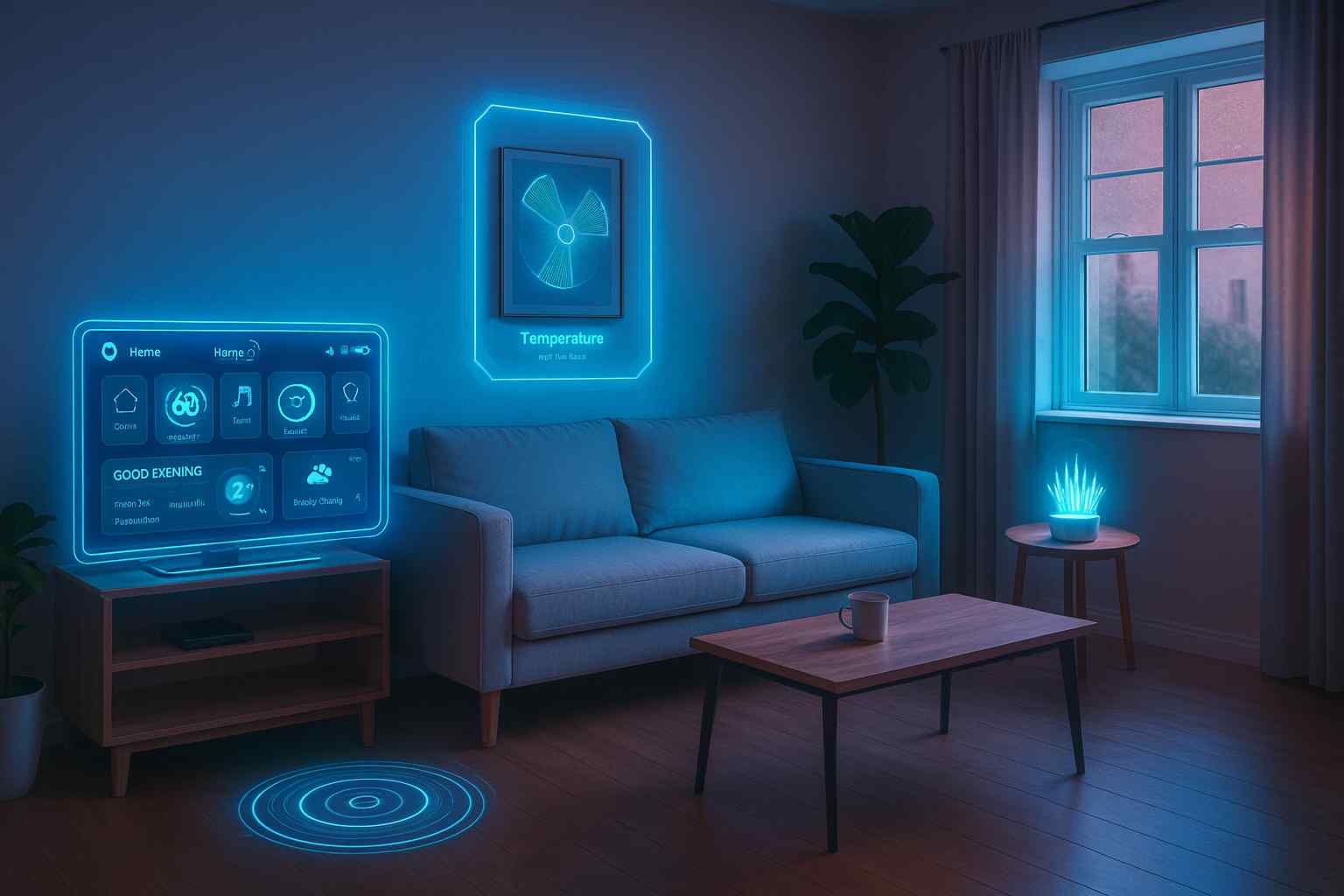
5. Futuristic Living Room
Prompt: “Transform this room into a futuristic smart home while keeping the furniture layout.”
Original:
ChatGPT Result:
Nano Banana Result:
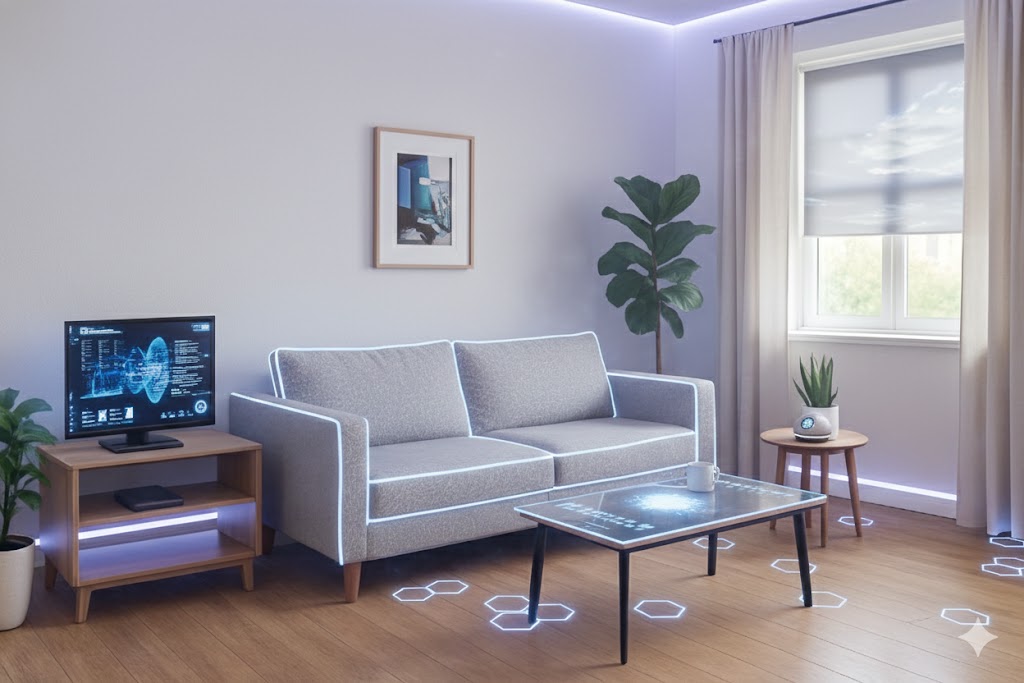
My Notes:
Which tool modernizes the room while respecting the original layout?
6. Ghibli-Style Portrait
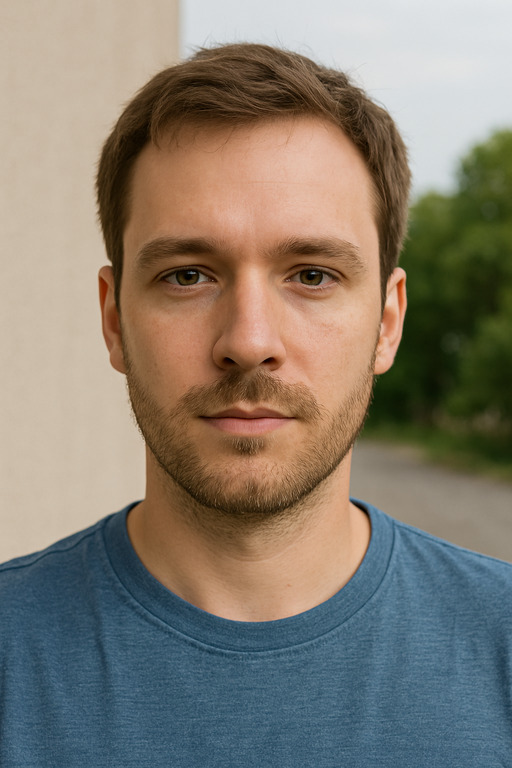
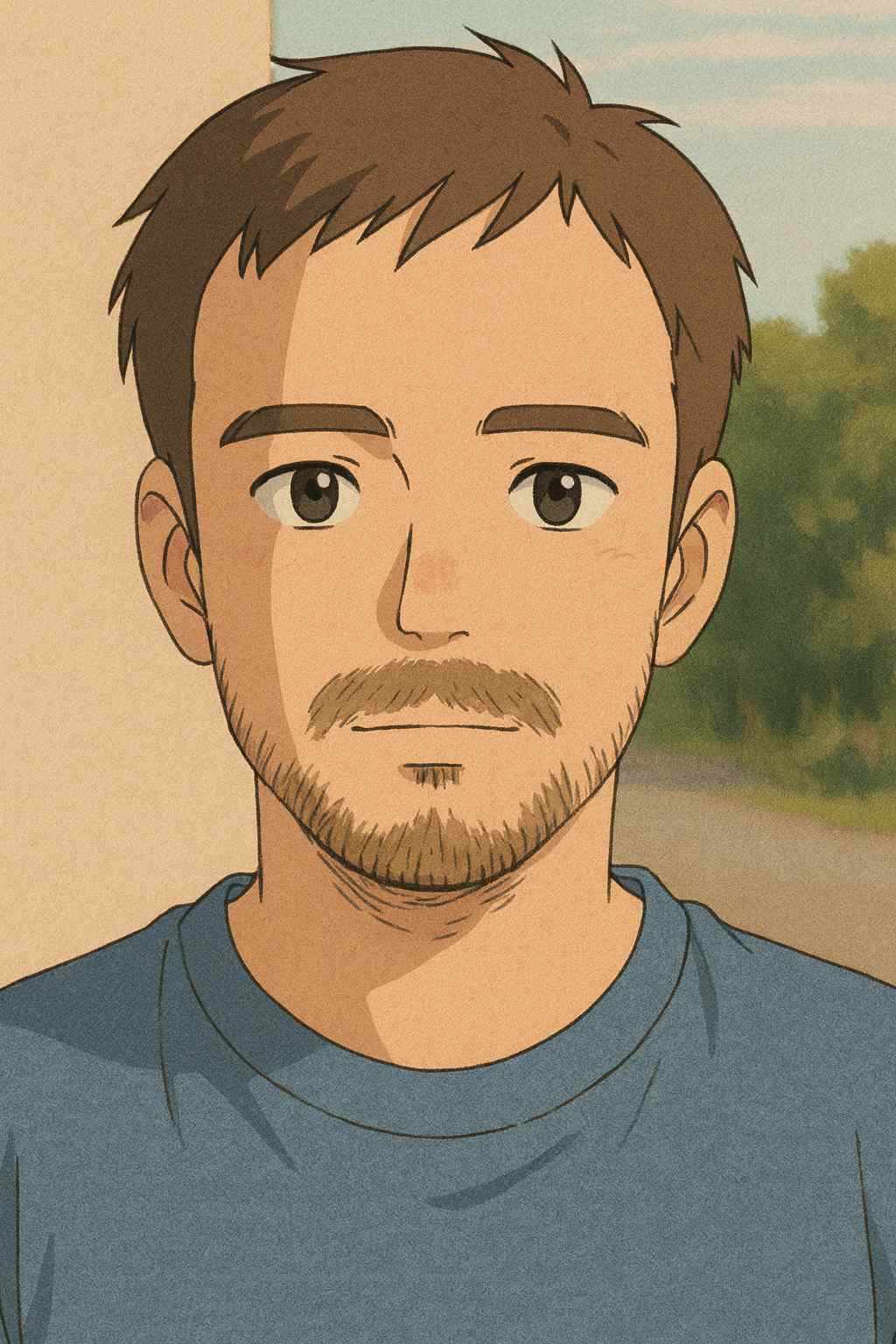
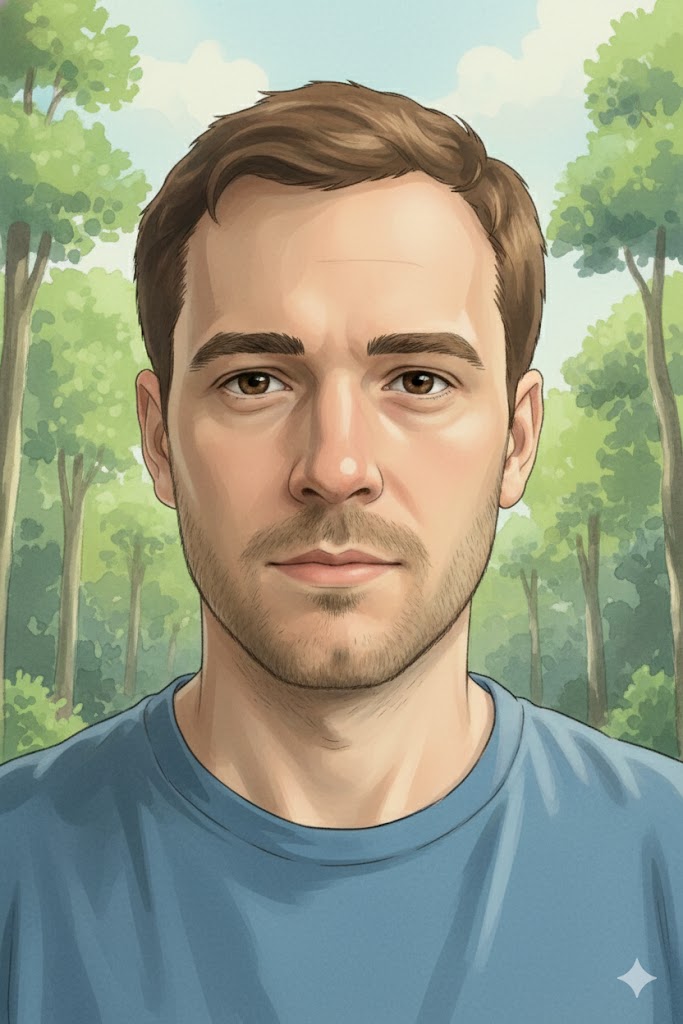
Prompt: “Turn this selfie into a Studio Ghibli-style illustration while preserving facial structure.”
Original:
ChatGPT Result:
Nano Banana Result:
My Notes:
Key differences appear in facial proportions, color palette, and style coherence.
7. Adding a Cat
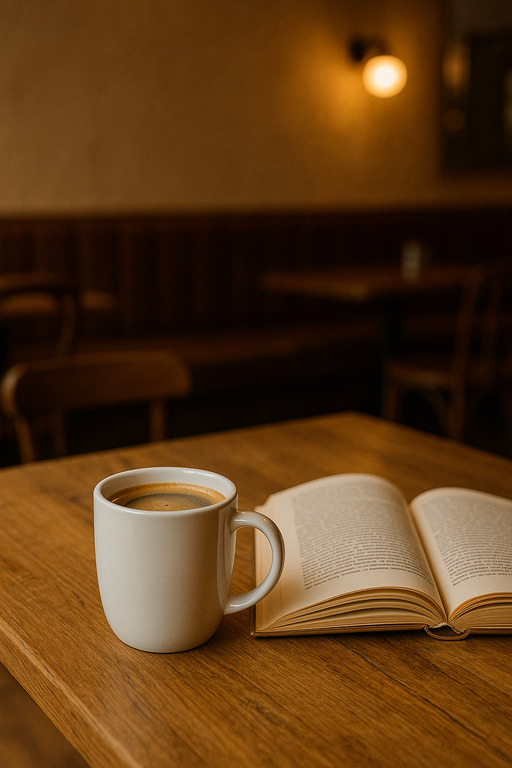
Prompt: “Add a realistic cat sitting on the table, matching lighting, shadows, and camera angle.”
Original:
[
ChatGPT Result:
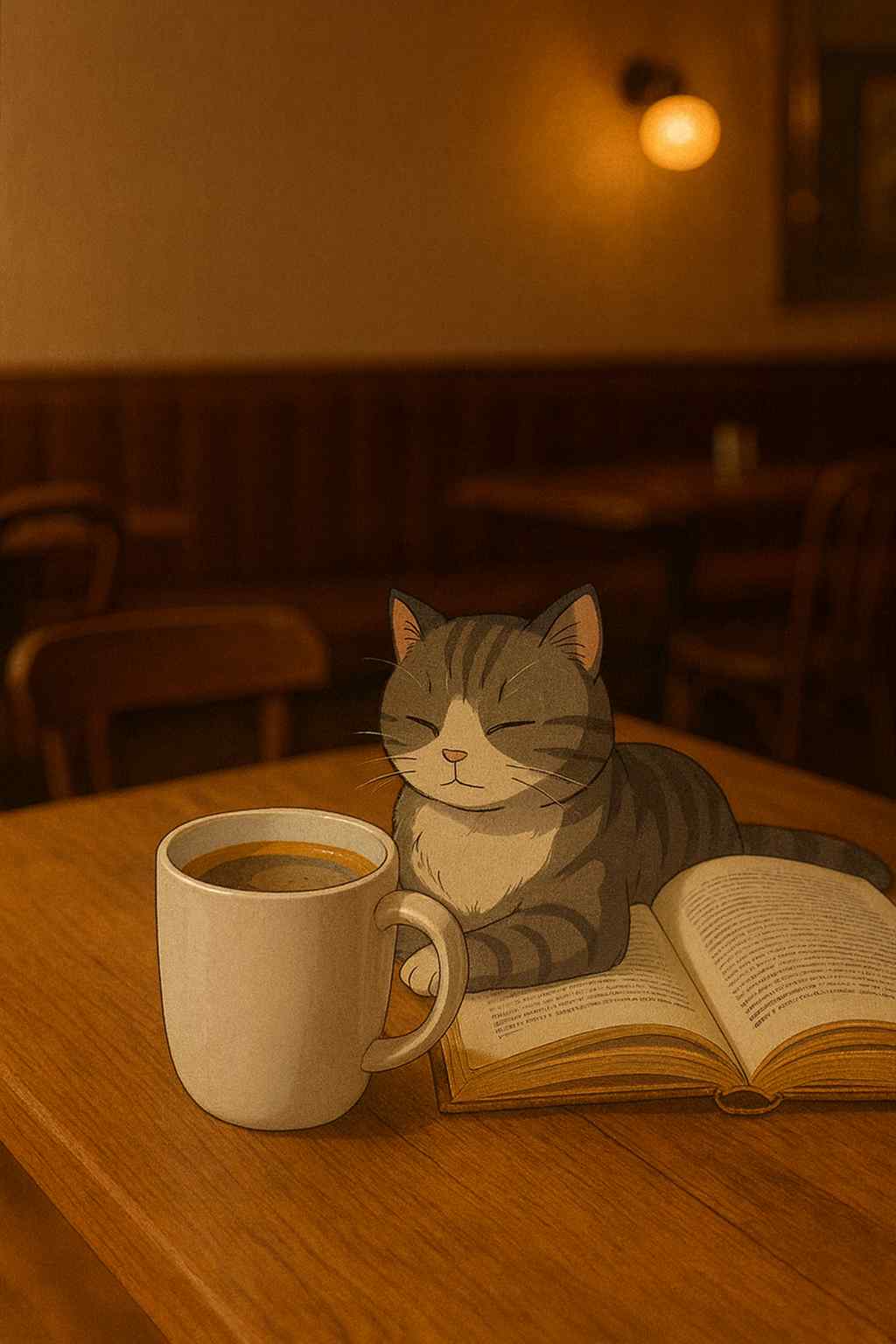
Nano Banana Result:
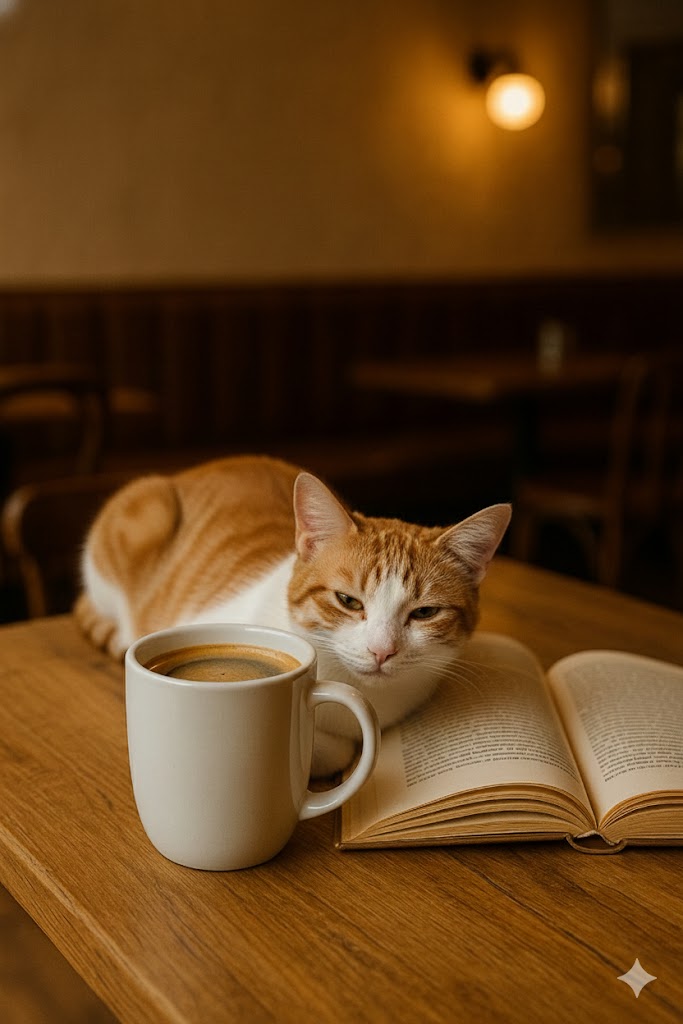
My Notes:
A great test for shadow accuracy and depth-of-field consistency.
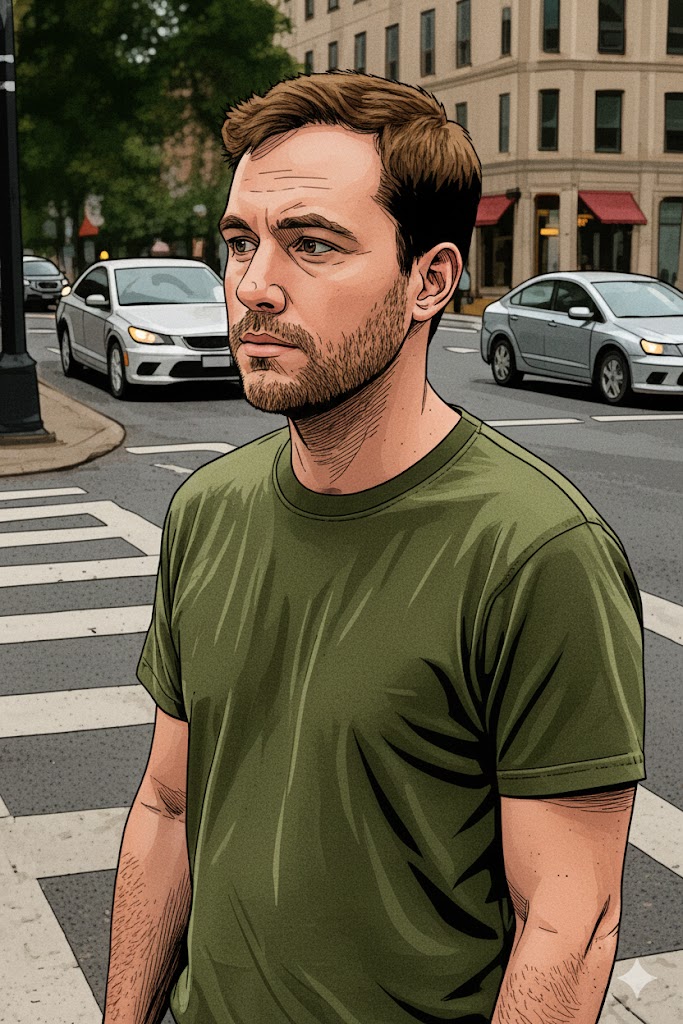
8. Comic-Book Conversion
Prompt: “Turn this into a comic-book style version without changing poses or background.”
Original:
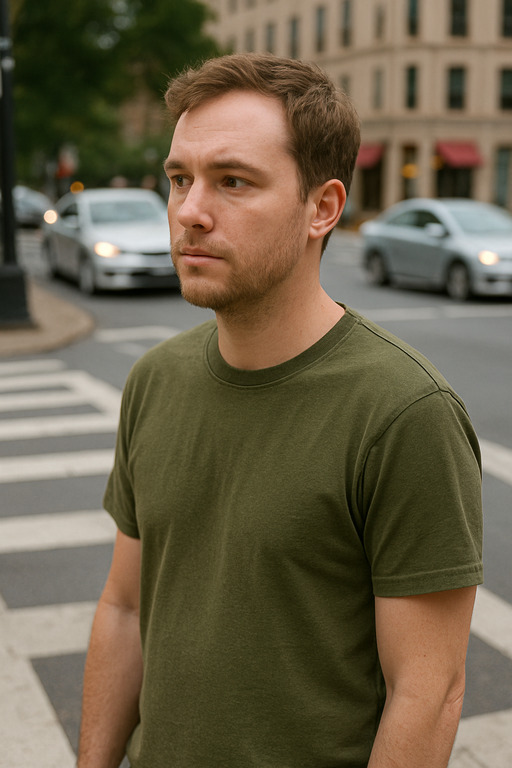
ChatGPT Result:
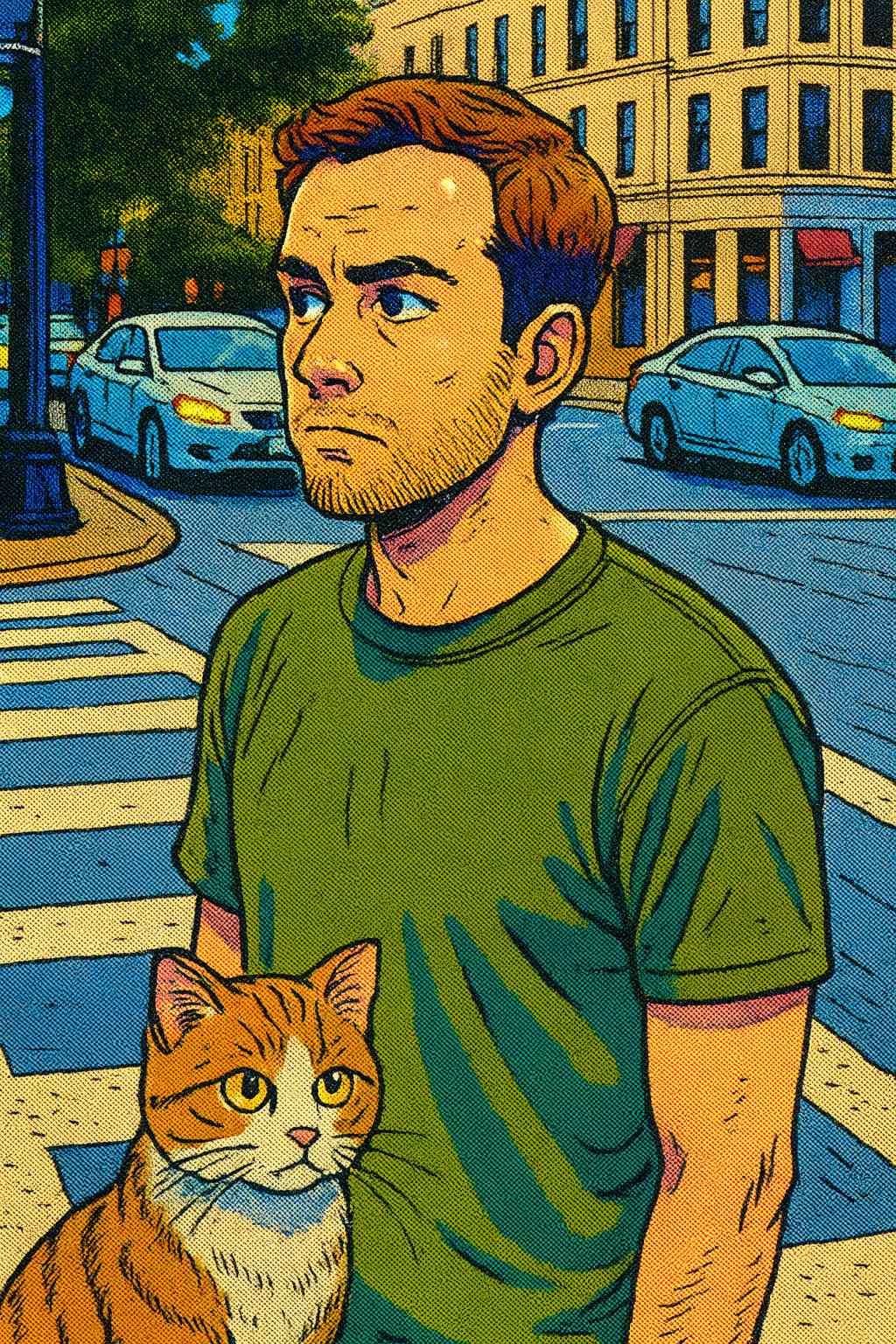
Nano Banana Result:
My Notes:
Which tool gives cleaner outlines and consistent shading?
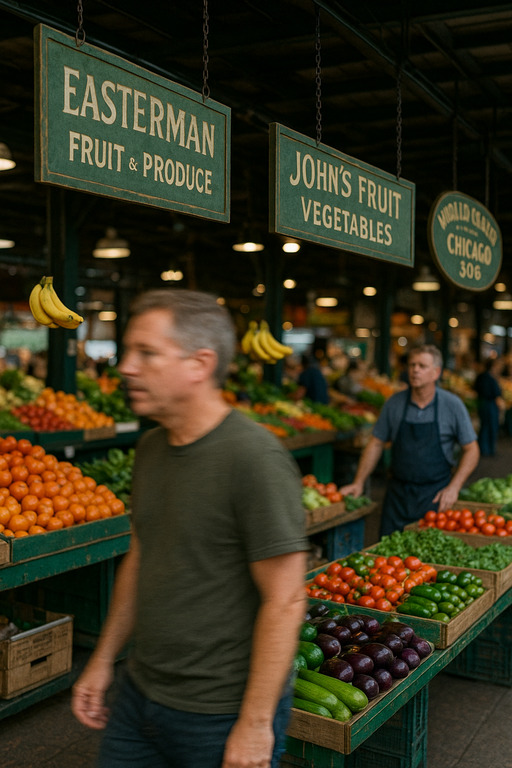
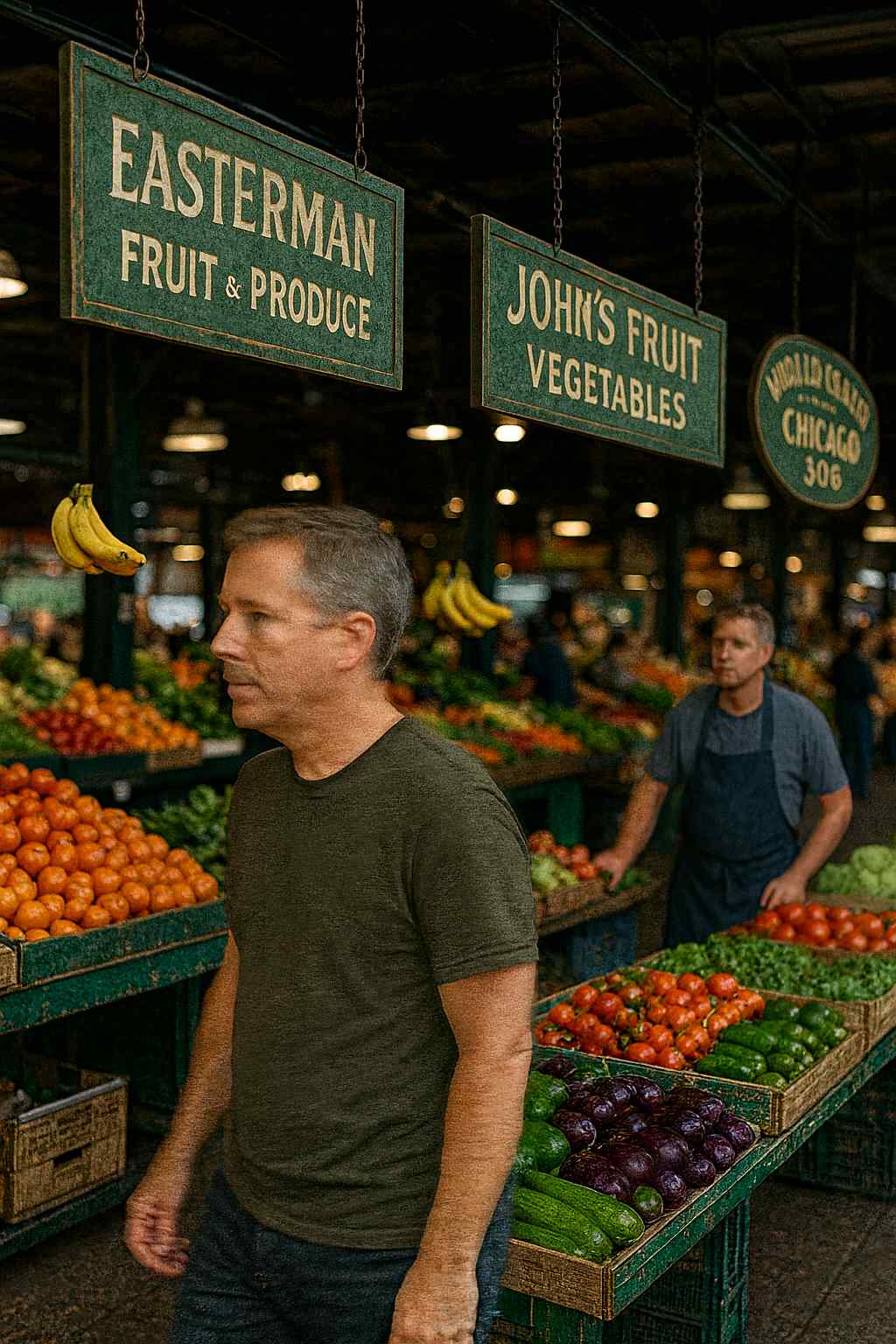
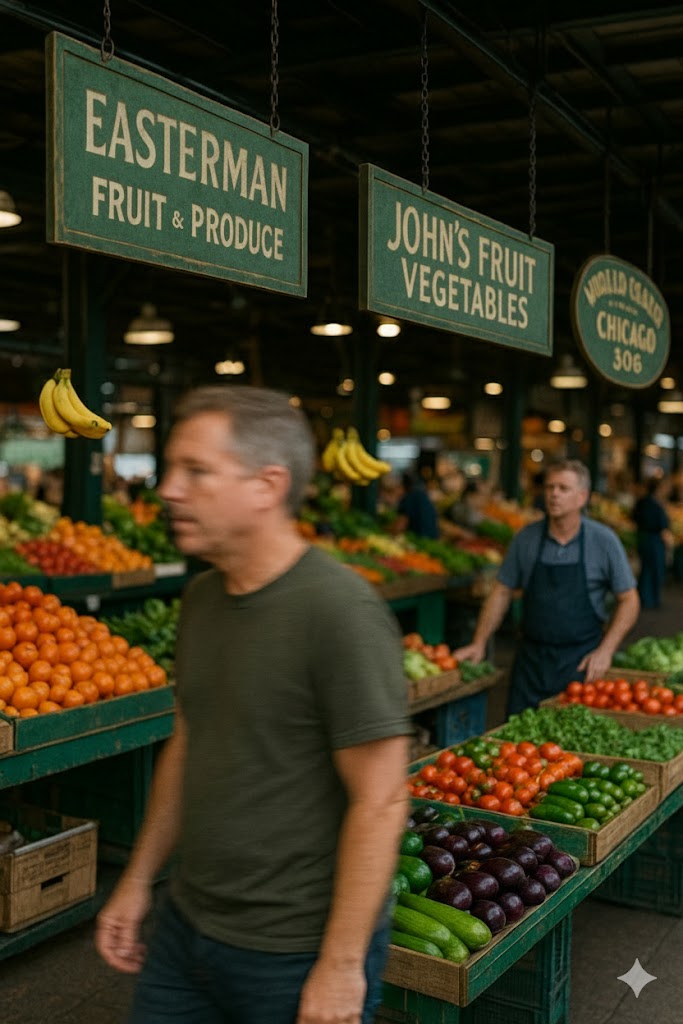
9. Sharpening Blurry Text
Prompt: “Sharpen the blurry text or signboards without altering any other part of the image.”
Original:
ChatGPT Result:
Nano Banana Result:
My Notes:
Perfect for evaluating clarity, readability, and text reconstruction.
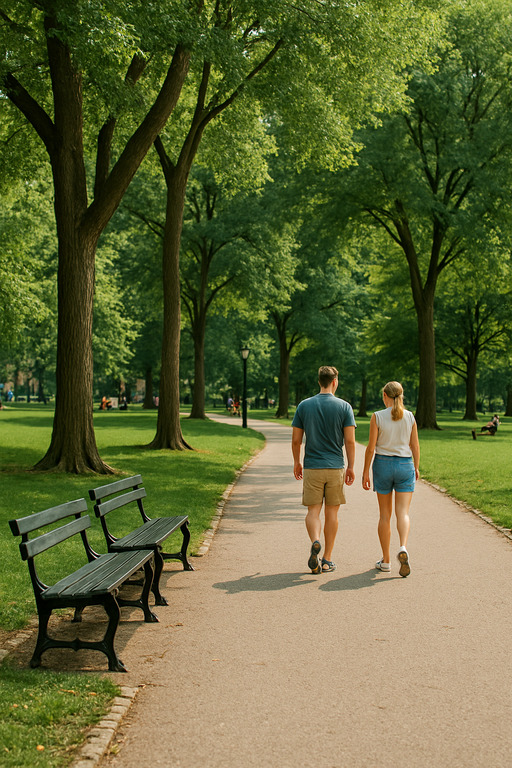
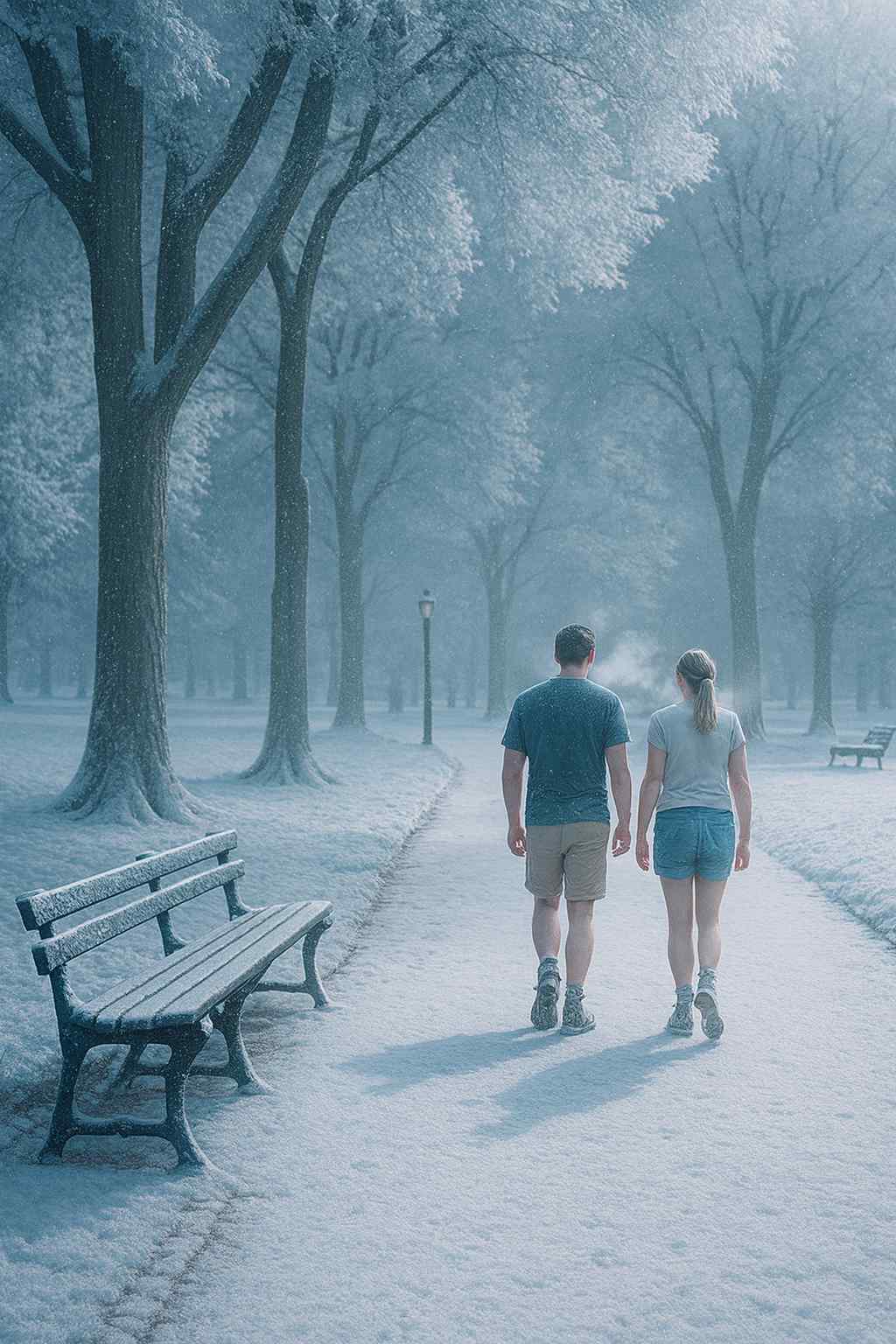
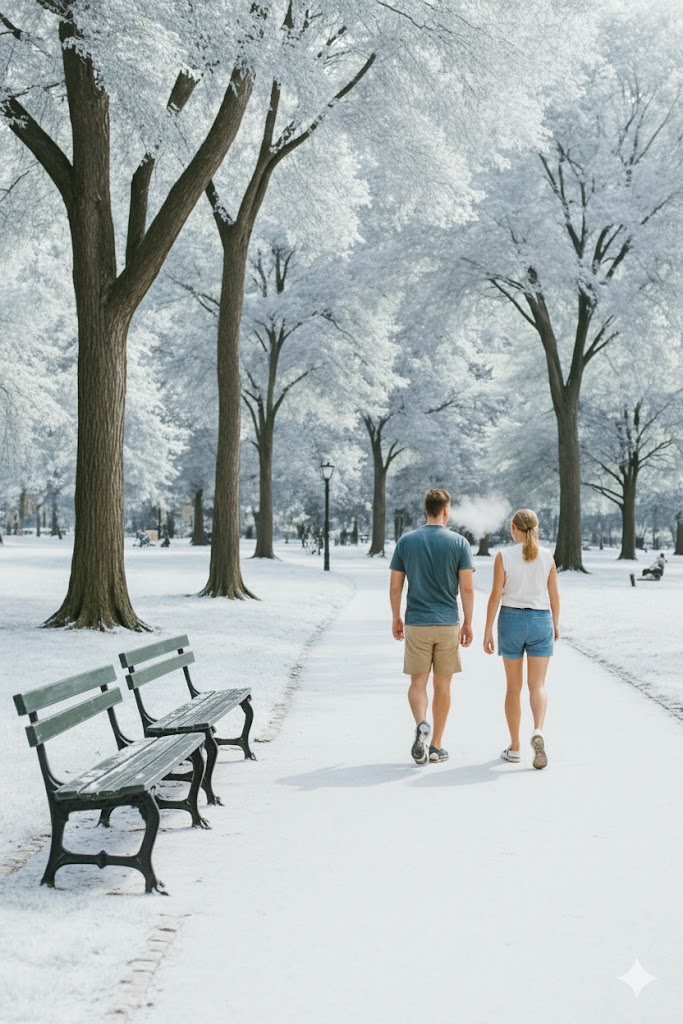
10. Winter Scene Conversion
Prompt: “Create a winter version of this park scene: snow, foggy breath, cold lighting.”
Original:
ChatGPT Result:
Nano Banana Result:
My Notes:
Snow realism and temperature effect are the key factors here.
Performance Summary (Non-Biased)
Here is a short summary of the strengths I noticed while testing.
ChatGPT Native Strengths
-
Better at big scene transformations
-
Excellent lighting and atmospheric realism
-
Strong with artistic styles (Ghibli, comic-book)
-
More consistent textures and shadows
Gemini Nano Banana Pro Strengths
-
Runs instantly on-device
-
Great at small, local modifications
-
Excellent edge-level sharpness
-
More privacy-friendly (no cloud processing)
-
Handles color correction and object insertion surprisingly well
Final Verdict: You Decide
Both ChatGPT Native Image Editor and Gemini Nano Banana Pro are excellent, but they shine in different areas.
-
If you want heavy transformations, cinematic edits, and artistic styles → ChatGPT usually wins.
-
If you want quick changes, object additions, cleanups, or local edits → Nano Banana Pro might be better.
That’s why I’m letting you, the reader, decide the winner.
Check the comparison images above and tell me in the comments:
👉 Which AI edited the image better?
👉 Which one feels more natural or realistic?
👉 Which tool would you use for your own photo projects?